
Early rating: 3/5
I went into my DesktopDaily playtest curious about what a little character could add to my desktop. The first thing that caught me was how cute it looked. What made me want to spend more time with it was discovering how much I could actually interact with. I can already see potential here, even though I’m still deciding how it would fit into my everyday setup.
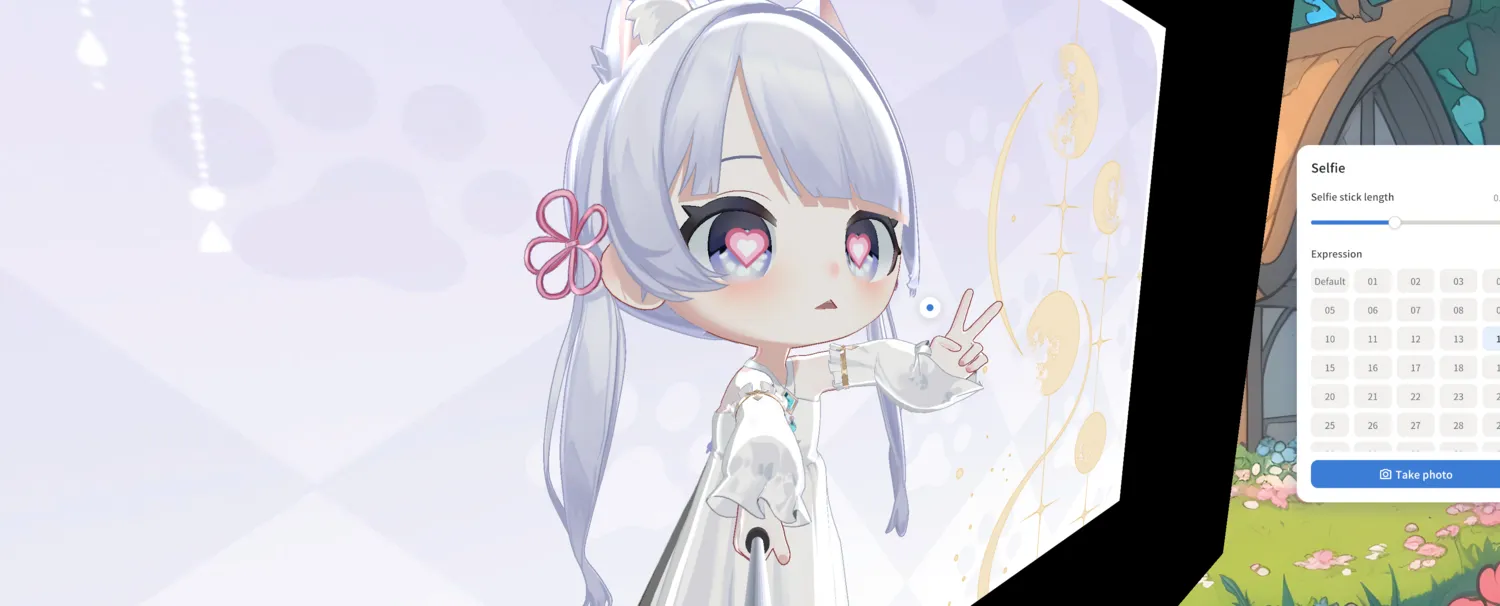
The little interactions are my favorite part
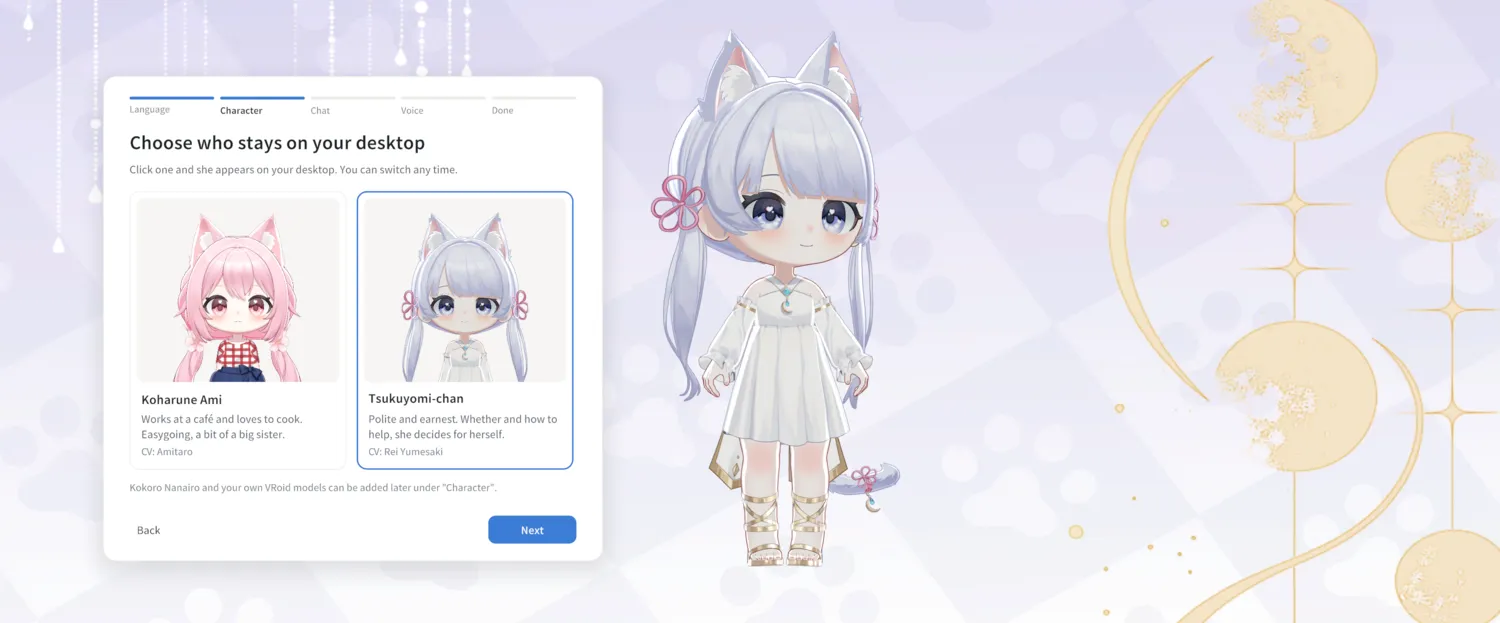
The selfie controls were a fun place to poke around. I could change the character’s expression and adjust the selfie-stick length. The heart eyes and peace sign in this screenshot are exactly the kind of tiny detail that makes me stop and take a picture. I also liked seeing Koharune Ami and Tsukuyomi-chan side by side during setup, with their different looks and a short introduction for each.
I’m curious how much variety I’ll find after the first session. Photo mode made me smile right away. Next time, I want to see which interactions I keep coming back to once I’ve had a chance to explore the rest of the app.
The artwork already feels at home here
The lavender backdrop with its soft paw prints and gold moons is one of the prettiest parts of the playtest for me. I also loved seeing the isometric rooms from above. The sofas, little plants, desks, and warm light make those spaces feel lived in. I’d enjoy seeing more visual options in the future, especially if I can make the companion feel like it belongs with my own desktop setup.

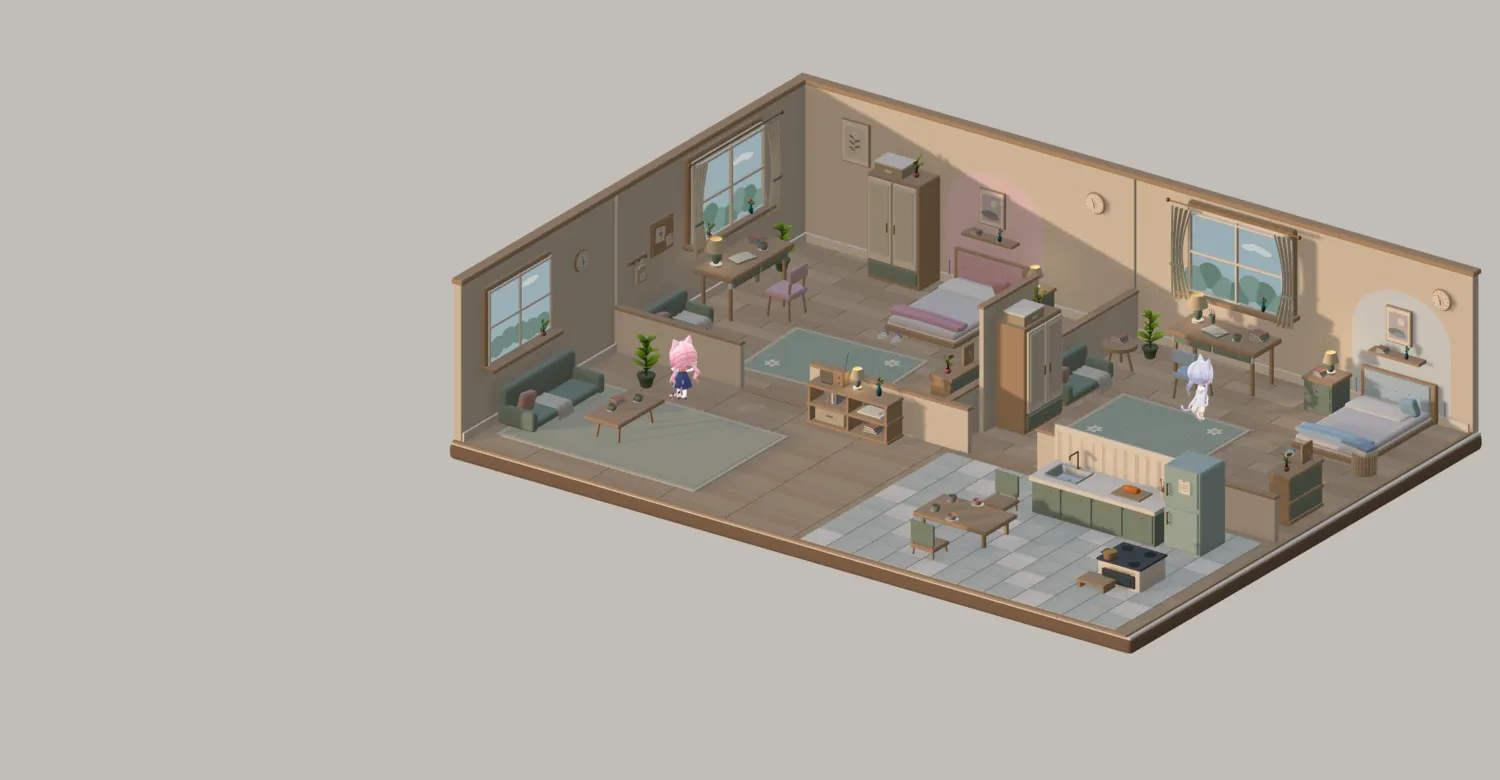
I’d love a smaller desktop option
In the build I tried, DesktopDaily took up anywhere from a good chunk of my screen to almost the whole thing. I liked having the big view while I was exploring the rooms and taking screenshots. If I’m writing a review or doing schoolwork, though, I’d want more room for my other windows. A compact corner mode or more flexible resizing would make it easier for me to keep it open between visits. That’s an update I’d be excited to see.
Where I’m cautious about AI
I do have some reservations about the possibility of DesktopDaily growing into a more AI-focused platform. The art, characters, and simple interactions are what drew me in, and I’d like to be able to enjoy those at my own pace. If AI becomes a larger part of the experience, I’d want clear choices about what I use, what I can turn off, and how any information I enter is handled. That’s a question I’m carrying into future sessions.
My first-session verdict
I’m giving this build 3 out of 5. The art is already a highlight, the interactions gave me plenty to try, and I’m genuinely curious to see what comes next. A smaller display option and more ways to make the experience my own could easily move that score up. I’ll add more to this journal as I explore additional features and see how DesktopDaily feels alongside the things I already do on my computer.
If you had a little companion on your desktop, would you keep it tucked into a corner or open up the whole room? I’d love to hear what would make it worth keeping around for you.
Stay cozy,
💜 Bella